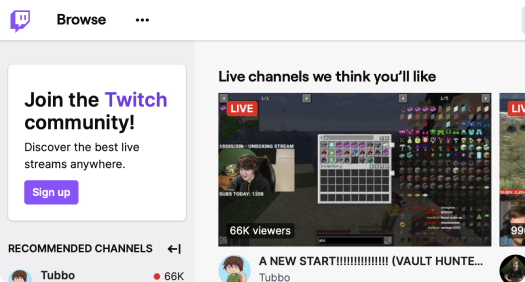
Buy Twitch Video Views
Supercharge your Twitch videos – Purchase views to captivate and grow your audience!
-
100 Video Views
Boost your Twitch video with 100 views.
Starting from$2.99
Buy now -
250 Video Views
Increase reach with 250 Twitch video views.
Starting from$3.99
Buy now -
Most popular
500 Video Views
Grow faster with 500 video views.
Starting from$6.99
Buy now -
1000 Video Views
Get noticed with 1,000 Twitch video views.
Starting from$9.99
Buy now
How to buy Twitch Video Views
If you are learning how to buy Twitch views, start with your channel name. Select the VODs or clips you want to promote, or paste individual video URLs, then choose a separate quantity for every item and complete payment without providing your Twitch password.
-
Connect the order to the correct Twitch channel
Enter the username for the public Twitch channel that contains the videos or clips you want to promote.
-
Choose the content and number of views
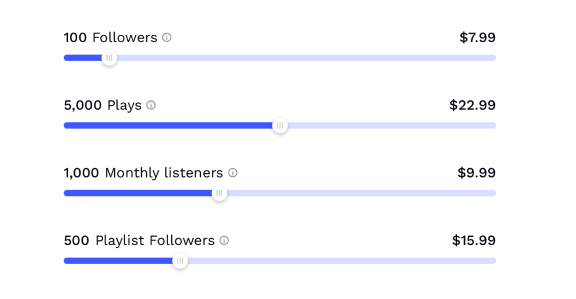
Select each VOD or clip and assign 100 to 20,000 views to it as an individual order item.
-
Confirm the views assigned to every video
Check the channel, selected content, quantities, and total before completing payment.
- 4.8/5 rated
- No password ever required
- 24/7 email support - 365 days a year
- Guaranteed delivery or refund
Create an account and receive a $0.50 balance credit
Register an Adsos account and $0.50 will be added to your balance. You can apply the credit toward this service or another available promotion package.
Twitch video views, order essentials
Every Twitch video views order uses a public channel name or video URL and does not require account access. Select 100 to 20,000 views per video, keep the content reachable during delivery, and monitor the order from your dashboard. Some customers use the phrase “buy Twitch channel views,” but this package applies views to selected recorded content rather than the channel account itself.
Every Twitch video or clip views package includes:
-
Refund protection applies to undelivered views
If the full purchased quantity is not delivered, contact support for a review of the missing amount.
-
Delivery can start within a few hours
Processing normally begins within a few hours while the selected Twitch content remains public and reachable.
-
Promote VODs and clips through individual order items
Each selected video or pasted URL receives its own clearly defined quantity.
-
Request a review of eligible drops within 30 days
Eligible decreases can be reviewed for replacement during the 30-day coverage period.
-
24/7 Email support
Email support is available every day, with a response target of 24 hours.
Before you buy views on Twitch, check our FAQ page or contact us for help with a channel, VOD, clip, or active order.
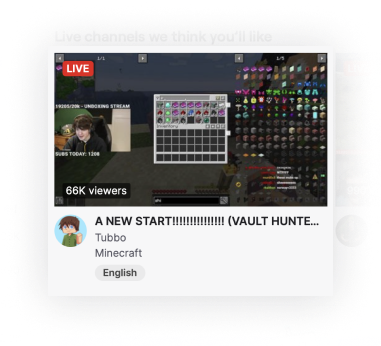
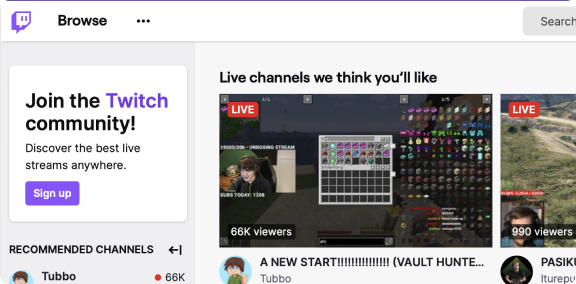
Build visible viewing activity across priority uploads
Recorded Twitch content remains available after a live broadcast ends. Buying views for selected VODs or clips increases the public count on those items, giving channel visitors more activity to evaluate without making promises about rankings, followers, or monetization.
- Add a visible count to VODs and clips that remain available after streams
- Direct each package to the exact Twitch content you selected
- Give channel visitors a stronger first impression of your video library
- Track a defined quantity without relying on visibility promises
The practical value of promoting Twitch videos and clips
A Twitch video views package changes the public count on the VODs or clips you select. These benefits focus on visible, trackable changes rather than guaranteed discovery or channel growth.
Build activity on content available after streams
VODs and clips can remain available when your channel is offline, so the selected content continues displaying its updated view count between broadcasts.
Put a more established count beside selected content
A larger public total can make a priority video or clip appear less overlooked when someone opens your channel and compares available content.
Strengthen the first impression of your video library
A more established view count can strengthen the first impression of your selected clip or VOD, but it does not guarantee followers or future viewers.
Add a measurable view count to priority uploads
The ordered quantity appears on the selected content, giving you a visible metric that can be checked after delivery.
Keep working on your channel between live broadcasts
Use recorded-content promotion alongside your own publishing, sharing, and live-stream schedule while preparing for the next broadcast.
Order a clear quantity with written protection
Choose 100 to 20,000 views per selected video. Undelivered quantities are refund-covered, and eligible drops can be reviewed during the 30-day replacement period.
Choose views for your next Twitch video or clip
Enter your Twitch channel name, select a public VOD or clip, and choose the number of views. Delivery starts within a few hours and can take several hours to a few days depending on the amount ordered.
Buy Twitch video viewsBuild recorded content metrics without status promises
Twitch Affiliate and Partner status depends on platform requirements beyond the public view count on recorded content. Use purchased views as one trackable part of a wider plan that also covers live viewers, followers, broadcasting activity, and your own audience development.
Views are added to the videos or clips you select
Enter your channel name and select the recorded content to promote, or paste a video URL. Each VOD or clip receives the separate quantity assigned to it.
Channel visitors can see activity on promoted uploads
Once delivery begins, the public count changes on the selected content. Visitors can evaluate that visible activity alongside the title, preview, date, and other channel details.
Use promoted content to support a wider Twitch strategy
Use the promoted content alongside your own broadcasts, sharing, and community work. Video views remain separate from followers, live viewers, and Twitch program eligibility.
What separates Adsos from unclear video view sellers
The best place to buy Twitch views should explain the required input, delivery window, package limits, support access, and written order protection. Check those details if you want to buy Twitch views cheap without confusing recorded-content views with concurrent live viewers.
Your Twitch video views delivery timeline
Follow each selected Twitch video or clip from order confirmation through delivery. Timing can vary with the quantity, but the starting window and coverage remain clearly stated.
Your selected videos and quantities are recorded
0 minThe order records your channel, selected content, view quantities, and payment details.
Views begin moving to the selected content
Within a few hoursDelivery can start within a few hours while every selected video or clip remains public and reachable.
Completion time depends on the selected quantity
Hours to a few daysDelivery can take several hours to a few days, depending on the amount assigned to each content item.
Ask for an order check at any stage
Any timeEmail support is available every day and aims to respond within 24 hours. Undelivered quantities remain eligible for refund review.
Cards and mobile payments
Cryptocurrency options
Promote more than one Twitch channel metric
Add Twitch followers through a separate channel order
Followers are an account-level metric and use your Twitch username rather than a video URL. Keep follower goals separate from video and clip views.
Choose live viewer coverage for your next broadcast
Buy Twitch live views, buy Twitch live stream views, or buy Twitch livestream views for scheduled broadcasts lasting 60 minutes to monthly. To buy Twitch live views monthly, keep your channel live throughout the selected period.
Assign views to more recorded Twitch content
Buy Twitch clip views or video views for another public content item. Before you buy cheap Twitch clip views, confirm that each selected VOD or clip is entered as a separate order item with its own quantity and coverage.
Continue your content campaign beyond Twitch
Build separate campaigns for videos, profiles, music, and social accounts across the available platforms. Choose the service and metric that match each piece of content.



Choose how you want to pay for Twitch views
Complete your Twitch views order using the payment methods displayed at checkout. Your Twitch password is not requested when you buy views for Twitch videos or clips.
Questions to check before buying Twitch views FAQ
Can I buy Twitch views for both VODs and clips?
Can buying Twitch views qualify my channel for monetization?
What channel or video information is required for an order?
Does Adsos offer free Twitch views or a trial package?
Start your Twitch video views order
Enter the public username or link requested below and choose a video views package. No Twitch password is required, and delivery starts within a few hours after checkout.